
How to scope a SaaS redesign without rebuilding everything
Scope a redesign around a complete user task, not a set of screens. Choose the task causing the most trouble, follow it from start to finish for each role, and include everything needed to do it well: every step, state and dependency. Leave everything else out, deliberately and in writing.
- Author
- Luke Dalton
- Topic
- Scoping
- Published
- Length
- 6 min read
That gives you a redesign your team can design, build and release without pausing the rest of the roadmap.
Decide what kind of change you need
Teams say “redesign” when they mean very different things. Naming the type of change early stops a visual update from quietly becoming a rebuild.
- Visual refresh: new typography, colour, spacing and components, with workflows unchanged. Low risk to users, but it rarely fixes usability problems.
- Workflow redesign: a task is restructured, changing its steps, logic, defaults and feedback. This is the level at which problems with a task can actually be fixed.
- Information architecture change: navigation, naming and where things live. It affects every user’s habits, so it needs the most care at rollout.
- Technical rebuild: the underlying code or data model is replaced. Sometimes necessary, but it is an engineering decision with design implications, not a design project.
One project can combine these, such as a workflow redesign that adopts a refreshed visual style. What matters is deciding which applies to which part of the product. How much does a SaaS product redesign cost? explains how each type affects the budget.
Identify the problem
Start with the evidence you already have. Each source tells you something different:
- Support evidence: tickets, chat logs and help-centre searches show where people get stuck, and what they call things.
- Usage data: funnels, feature usage and time on task show where people drop out or slow down.
- Customer research: interviews, sales calls and usability sessions explain why.
Write the problem as one sentence naming the user, the task and the consequence. An illustrative example: “Account managers can’t quickly find and update a customer’s billing contact, so changes are delayed and support handles them instead.” If you cannot write that sentence yet, an audit is a better first step than a redesign. SaaS UX audits: what to review and what you should get back explains how to approach one.
Map the workflow
Follow the task from the moment someone decides to do it until it is finished. For each step, note:
- Roles: who performs the step, and how their access differs.
- States: empty, loading, error, partial success, no permission, and unusually large or long data.
- Dependencies: the APIs, data, shared components, notifications and other features the step relies on.
- Entry points: everywhere the task can start, such as navigation, search, an email link or a notification.
This map is where the real size of a redesign usually becomes visible. A step that looks simple may rely on a shared component used in a dozen other places.
Separate necessary changes from adjacent ones
Mapping a workflow surfaces plenty of problems, and it is tempting to fix them all. Sort each one:
- Necessary: the task cannot be done well without it. This is in scope.
- Adjacent: it would improve a nearby task or screen, but the main task works without it. Note it for a later phase.
- Out of scope: it belongs to a different problem altogether.
A useful test for an adjacent improvement: if it were not done, would the redesigned task still meet its success measure? If so, it can wait.
A scope table you can reuse
Recording scope in a table makes inclusions and exclusions explicit, and gives design and engineering the same reference. Use one row per user task:
| User task | Current problem | Proposed change | Included states | Dependencies | Exclusions | Success measure |
|---|---|---|---|---|---|---|
| The job, in the user’s words | What goes wrong today, and the evidence for it | What will change, in a sentence or two | Every state that will be designed | APIs, data, components and teams involved | What is deliberately left out | How you will know it worked |
Example: find, review and update a record
A B2B product lets account managers look after customer accounts. Support tickets suggest they struggle to update a customer’s billing contact: search often opens the wrong account, billing details are split across two tabs, and the field they need sits deep in settings. The team had considered redesigning the whole customer area. Mapped as a task, the scope is much narrower:
| User task | Current problem | Proposed change | Included states | Dependencies | Exclusions | Success measure |
|---|---|---|---|---|---|---|
| Find the right customer | Search only matches exact company names, and similar names are hard to tell apart | Search by name, email or account ID, with account owner and location shown in results | Results, no results, many results, slow response | Search API support for email and ID | Redesigning the full customer list | Users open the correct account first time in testing |
| Review the account | Billing details are split across two tabs | A summary panel on the record showing billing contact and status | Default, missing billing contact, read-only role | Customer and billing APIs | Account health metrics | Users confirm billing details without switching tabs |
| Update the billing contact | The field is buried in settings and save errors are unclear | Edit in place from the summary panel, with inline validation | Editing, validation error, save failed, no permission, edited by someone else | Permissions service, audit log | Invoice templates | Fewer support tickets about billing contact changes |
The customer list, account health and invoicing stay as they are. Three rows replace an open-ended “customer area redesign”, and every state the team will need to build is named before design starts.
Involve engineering before the scope is final
Engineers know where the cost and risk sit. Review the draft scope table with them before agreeing it, and ask:
- Which dependencies are harder than they look, and which already exist?
- Which shared components would a change affect elsewhere in the product?
- Do the APIs return the data the new design needs, quickly enough?
- Can the change be released gradually, for example behind a feature flag?
- Is any part cheaper to build another way, with a similar result for users?
Their answers may move items between necessary and adjacent, or change the proposed design. That is the point: changing a scope table is far cheaper than changing a half-built feature.
Sequence the rollout
Release the redesign in stages that each leave the product working:
- Ship shared components or visual updates first if later steps depend on them.
- Release the redesigned workflow to internal users, then to a group of customers who opt in or are selected.
- Watch the success measure, support requests and feedback, and fix issues before releasing more widely.
- Retire the old version once the new one is stable, with notice for anyone who relied on it.
Preserve familiar behaviour where it still works. Keyboard shortcuts, column orders, saved filters, URLs and the names of things are part of how experienced users do their jobs. Change them only when the change solves part of the problem, and tell people when you do.
A project example: Voren
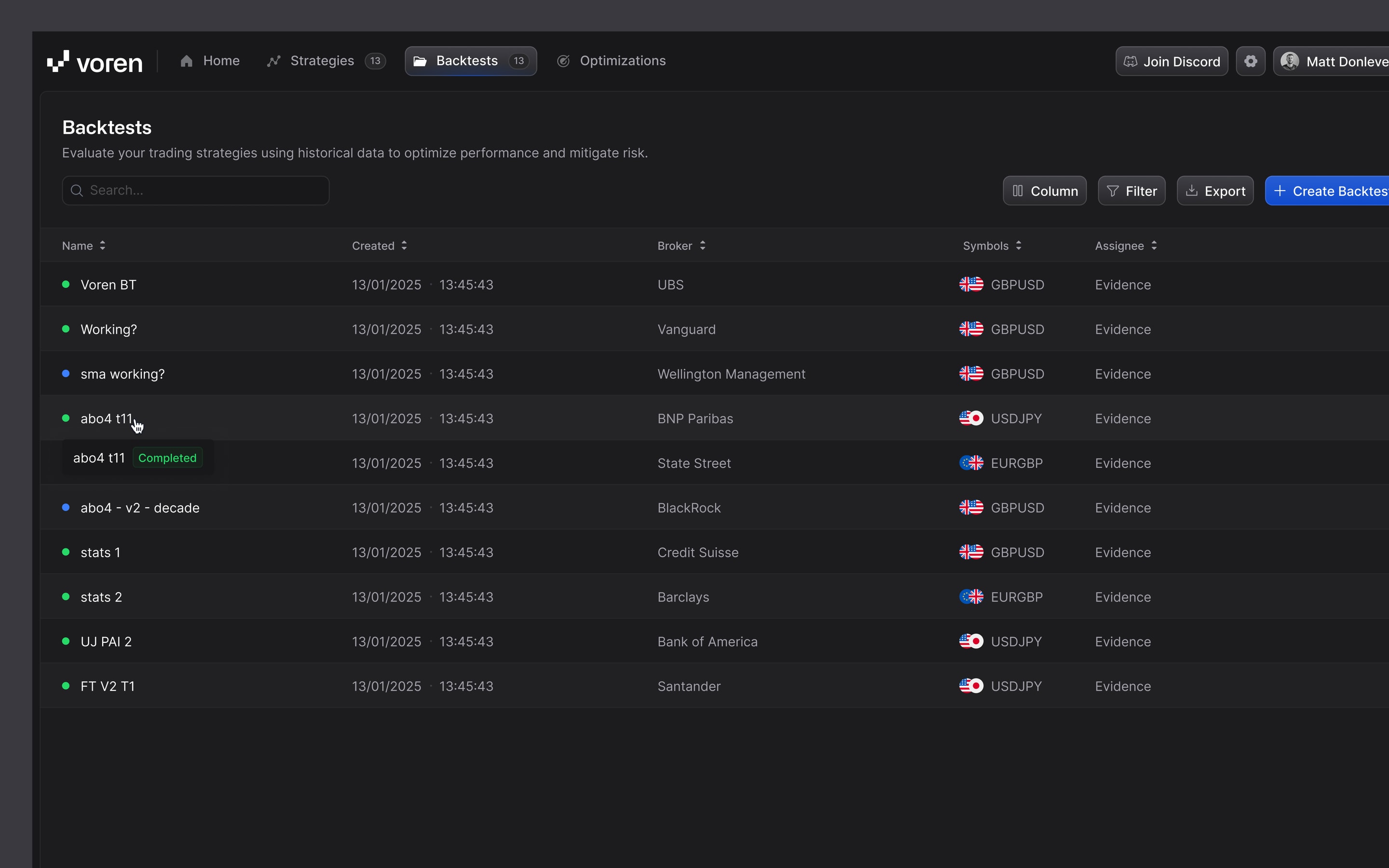
Exalt’s redesign of Voren, a platform for building, backtesting and exporting automated trading strategies without code, had to fit a launch deadline and a defined budget. The work covered the strategy builder, the journey through onboarding, backtesting and optimisation, and a design system for light and dark modes, and was delivered in eight weeks, ahead of Voren’s public launch. That timeline reflects that project’s scope and deadline; it is an example, not a standard duration.
A project brief you can copy
Use this as the starting point for an internal planning document, or to brief a design partner. Replace the prompts in square brackets.
Project brief: [name of the workflow]

Problem
[Who] struggles to [task] because [cause].
As a result, [consequence].

Evidence
- Support: [recurring themes or ticket examples]
- Usage data: [where people drop out or slow down]
- Research: [interviews, sales calls or testing]

Users and roles
- [Role]: [what they need to do, and their access]

In scope
- Task: [user task]
  States: [default, empty, loading, error, no permission, ...]

Out of scope for now
- [Adjacent improvement or separate problem]

Dependencies
- [APIs, data, shared components, other teams]

Constraints
- Platforms: [desktop, mobile or both]
- Front-end stack: [framework and component library]
- Dates: [fixed deadlines and why]

Success measure
- [How you will know the redesign worked]

Rollout
- [Internal, selected customers, everyone]
Further reading
How much does a SaaS product redesign cost?
Scope sets the price. How workflows, roles, states, research and implementation drive the cost of redesigning a SaaS product, and how to compare quotes fairly.
SaaS UX audits: what to review and what you should get back
How to bound a UX audit around a real task, what to review in a B2B product, how a useful finding is written, and what an audit can and cannot tell you.
In-house designer, agency or embedded design partner: which should you choose?
When each way of resourcing product design fits, how they differ on continuity, context and cost structure, and what to ask any provider before you sign.